Platform:Win98,WinME,WinNT 3.x,WinNT 4.x,WinXP,Windows2000,Windows2003,Windows Vista Starter,Windows Vista Home Basic,Windows Vista Home Premium,Windows Vista Business,Windows Vista Enterprise,Windows Vista Ul
Image Repainter is Photoshop-compatible plug-in for Windows that borrows template image colors properties to change colors of source image. It allows the user to express pleasing colors from desirable prototype image to some other images.
Image Repainter is Photoshop-compatible plug-in for Windows that borrows prototype image color characteristics to change colors of a source image. Image Repainter allows the user to express pleasing colors from desirable prototype image to images to be corrected. It is very useful for recoloring of a series of image shots, especially where slightly different lighting and camera settings produced different color appearance in each photo. It is based on the modified method of matching color histogram statistics of the source image to those of prototype image.
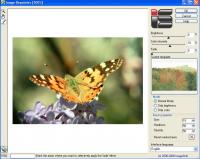
Running the plug-in the image to be changed color is appeared in the main window. Image Repainter has user-friendly interface. The user can set the folder with desirable template images and select any of them as prototype. It is viewed in the small preview window to the right of the main one. The plug-in has three modes of operating: Normal Mode, Only Brightness, and Only Colors. The first one corresponds to the borrowing from the prototype image all statistical information (both chromatic and brightness). The second one is relevant to borrowing from it only brightness statistical information, and the third one - borrowing from it only chromatic content. Under given mode the statistical characteristics of the source image are changed automatically according to those of the prototype image. To make the result more perceptual an user can adjust its brightness and color by appropriate setting the Brightness and Color Intensity controls. The plug-in has a simple install and uninstall procedures and is supplied by brief help description. Whats new in version 1.5: Multilingual interface support was added.
Fade brush was added Requirements: Require Photoshop-compatible graphic host program Operating system: Win98,WinME,WinNT 3.x,WinNT 4.x,WinXP,Windows2000,Windows2003,Windows Vista Starter,Windows Vista Home Basic,Windows Vista Home Premium,Windows Vista Business,Windows Vista Enterprise,Windows Vista Ul Limitations: Inserts watermarks Release notes: Major Update
MagicBD is a graphic software which can be used to draw many kinds of iconographies, illustrations and sketch maps.It can also be used to edit images to process them or get some special effects.
Price: $28, Rating: 10, Downloads: 234 Download
Pos Free Photo Editor is a free photo editor from the authors of the best free professional photo editor - Photo Pos Pro free photo editor. The software is simple and very user friendly photo editor, that lets you easily view, and enhance your photos
Price: $0.00, Rating: 10, Downloads: 190 Download
Design over 10 photos by few mouse clicks. Easily create photo book, collage, calendar, greeting cards, wedding photos and more artworks.
Price: $39.95, Rating: 0, Downloads: 171 Download
Image Frame is a Photoshop-compatible plug-in for easy creation naturally-look 3D frame. Add frame and text to your photos. You can apply rectangular and elliptical frame, change frame profile, material, and lightening.
Price: $14.95, Rating: 10, Downloads: 160 Download
User Rating
Rating:2.2 out of
5 Based on13 ratings.
13 user reviews.

 Image Repainter 1.5 details